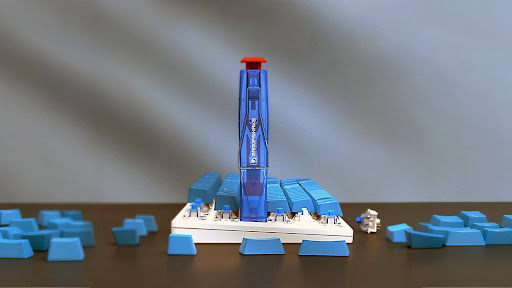
The sharp, crisp sound of mechanical keyboard keys as they tap away at your desk or fill the room with each keystroke is just so satisfying. That audio feedback, along with a unique physical feeling under your fingertips, makes typing feel less like a chore and more like an activity. What is at the bottom of this phenomena: the clicky switch. To the tech geeks who are building or upgrading their system, clicky switches nowadays often represent the ultimate typing feedback—they’re just like the vintage keyboard, but better and more consistent. Which is best for your work space, your workflow, and the people around you: are clicky switches a good fit? This article discusses just that question. We’ll go over how clicky switches work mechanically, compare them to other types of switches (tactile and linear) head-to-head, evaluate their sound levels in real-world terms, and even take you through a step-by-step guide to help determine the perfect switch for you — whether you’re typing up reports in your home office, cramming next to other students in a shared space, or packing heat on the battlefield in your dedicated gaming den.
What Are Clicky Switches? A Deep Dive into the Mechanism
Within the mechanical keyboard ecosystem, switches fall into three broad categories—clicky, tactile, and linear—each delivering a fundamentally different typing experience. Clicky switches explained simply: they are engineered specifically to produce both a pronounced tactile bump and a sharp audible click at the moment of actuation, giving typists unmistakable confirmation that a keystroke has registered.
The underlying process behind that characteristic sound depends on the design. In conventional designs such as the Cherry MX Blue, a two-part slider with a “click jacket” is noise-making. As you push the key down, the click jacket is caught briefly before passing a contact leaf, creating the physical bump and click at the same time. Modern variants, including the Kailh Box White, feature a click bar – a thin metal spring placed next to the slider that bends and snaps back on both the down stroke and up stroke, which is a little bit different, crisper and more consistennt sound profile.
For the user, the perception of the system outputs is rapid and accurate. You can feel the resistance increase, then a sudden release with a sharp click occurring just before the actuation point – which is at about two millimeters of travel. There’s no wonder if your input is registered. Which is why they’re the favorite among writers and programmers who need rhythmically satisfying and accurate typing for long sessions. Other well liked switches similar to Cherry MX Blue include Gateron Blue which has a slightly smoother housing, and Kailh Box White which is known for being more airtight and less wobbly. Each reproduces the classic click experience with minor variations in pitch, force curve and general feel.
Keyboard Switch Comparison: Clicky vs. Tactile vs. Linear
When you select a mechanical switch, you are deciding what type of feedback loop you have between your fingers and your screen. Tactile, linear and clicky are the three types of mechanical switches available on the market that are suitable for different gaming styles and play preferences. Knowing the differences allows you to purchase the right typing experience rather than realizing you have a mismatch after the fact.
Tactile vs Clicky: Feeling the Bump
Tactile and clicky are the same in that they both generate a noticeable bump on the actuation point, which tells you when your keystroke has registered without having to press on the bottom of the key. The only difference is noise. Tactile switches like the Cherry MX Brown or Gateron Brown have that bump silently – you get confirmation without letting everyone else on the other side of the wall know you are typing. Clicky switches include a sound on top of the tactile feedback making it a double layer of confirmation. When it comes to typing accuracy, both are solid performers; your fingers learn to recognize the bump as depth of actuation after a while. But they do have an advantage for people who listen to their aural rhythm to keep pace. The tradeoff is clear: If you’re sensitive to noise, tactile switches provide most of the precision advantage without the noise.
The Linear Alternative: Smooth and Silent
Linear switches such as the Cherry MX Red are a whole other beast. There’s no bump, and there’s no click – it’s just a smooth, continuous keystroke from the top of the switch to the bottom. That uniform behavior is why they’re beloved by gamers who want to bang out rapid-fire presses without any friction messing with their reflexes. They’re also a lot quieter than the clicky kind, though they do still make noise when the user bottoms out. For typing-intensive work, some people find linears less enjoyable because there’s no tactile feedback when the switch actuates, which can cause accidental double-presses or heavier bottoming-out habits.
| Feature | Clicky | Tactile | Linear |
| Tactile Bump | Yes | Yes | No |
| Audible Click | Yes | No | No |
| Noise Level | High | Moderate | Low |
| Best For | Typing, programming | Mixed use, offices | Gaming, quiet spaces |
Understanding Switch Sound Levels for Your Environment
Sound is probably the most important factor when it comes to choosing clicky switches, but there is more nuance to that than just calling them “loud.” Depending on the specific mechanism, your typing force and the keyboard housing them, clicky switches generate a sound of 50-70 decibels. A click jacket design such as Cherry MX Blue has a loud higher-pitched, sharp impact sound, whilst click bar switches such as Kailh Box White have a more high-pitched and crisp sound, and some say it’s less fatiguing in the long run. In fact, the sound of your keyboard’s case and plate will have a far more dramatic effect on the sound than the switch. An aluminum plate and plastic case will sound very different from a gasket-mounted board with layers of foam for sound dampening. Keycap product also- thick pbt caps give a deeper “thock” while thin abs caps allows more HF click shine through. With this knowledge you can customize the sound profile of your build, rather than taking it as a given.
Are Clicky Switches Office-Friendly?
The good news for most shared workspaces: the standard clicky switches are too loud. An open-plan office with a background noise level at 40–45 decibels and a clicky keyboard with a noise level of 60+ decibels is an audio presence that your co-workers will notice—and sooner rather than later, they’ll resent it. If you have a private office with a door, then it’s a completely different story; the noise is sequestered and it doesn’t bother anyone. If you truly want the audible feedback but also are surrounded by others, a few routes are available to you. Quiet clicky switches such as the Rose Garden (Kailh Box Pink) have a very light and subtle click sound. Otherwise, sound-dampening modifcations—lining the case with foam, applying o-rings or silicone dampeners under keycaps, and placing a desk mat on the floor—can reduce output by a handful of decibels. If you’re still not happy with any of the compromises, tactile switches are probably your best bet: you get the bump-based precision without the click — the one noise that can really travel through cubicle walls.
How to Choose the Right Clicky Switch: A Step-by-Step Guide
It’s one thing to understand the theory of clicky switches—choosing the right one for your specific needs, however, is a different matter and requires a bit of structure. Don’t make an impulse purchase after watching some sound test videos, instead follow these four steps to find a switch that truly suits you.
Step 1: Assess Your Primary Use Case and Environment
Begin by taking an honest look at two things: what you most frequently do at your keyboard, and who else will hear it. If your days are mostly spent writing, coding, or data entry, then clicky switches are a natural fit for that workflow – the rhythmic feedback helps maintain a level of accuracy. If your sessions are mainly gaming, especially competitive games that require you to spam the same buttons quickly, you might find the actuation bump slowing you down a bit. Then, think about the space you occupy physically. Having a separate home office where I can shut the door means that I can really go all out. A co-op apartment, a cubicle farm, or a late-night station beside a sleeping partner calls for more moderation—or at the very least, a strategy for dealing with the din.
Step 2: Define Your Feedback Preference
Is the sound an important part of the satisfaction, or would a physical bump by itself be good enough? Some typists also find that what they really want is the tactile confirmation, not the audible click — they’ve just associated the two because their first MKB happened to be joggly. If you’re on the fence, this distinction is important because it lets you know if you should go all-in with a clicky switch or try out something with high tactility, a tactile switch with a strong bump for example.
Step 3: Research and Sample Specific Switch Models
Never buy a full set of switches just based on descriptions or recordings. Buy a switch tester — a small board with individual switches from various families — so you can test out the feel and sound of each option. Narrow your search to tried and true clicky families: Cherry MX Blue and Green for the traditional click jacket feel, Gateron Blue for a silky smooth alternative, Kailh Box White and Jade for click bar precision at two different force levels, and if you’re searching for the highest quality boutique selections from vendors including ZealPC for premium tolerances. Top keyboards in this list even come with hot-swap switch options, for your choice of tactile, clicky, or linear switches; these keyboards allow you to swap the switches out at any time, no soldering needed. Consider the actuation force, the sound pitch, and also the click feel in two stages: the downstroke and the release.
Step 4: Consider Keyboard Compatibility and Modding
After you’ve found your switch of choice, make sure your keyboard supports it. Hot-swappable boards give you the freedom to swap switches without doing any soldering, which means you can experiment with different switch types pain-free and change them up down the road with minimal hassle. Soldered boards are a commitment, unless you know your way around a desoldering tool. Beyond the switch itself, be prepared for acoustic tuning. Case Foam Diminishes Hollow Resonance Applying tape or silicone gels dampeners on the PCB plate sonic profile and use your switches thick PBT keycaps changes the tone towards lower. These are also great modifications to keep your clicks audible, but not loud enough to annoy others like your co-workers or lovers!
Why Clicky Switches Remain the Ultimate Typing Feedback Upgrade
Clicky switches are unique in the world of mechanical keyboards because they provide the most definitive form of feedback. That combination of a sharp tactile bump and an audible click precisely at the moment of actuation is what makes the typing experience you get with no other switch type comes close to replicating. Although not as sweet-sounding as tactile switches (the bump without the sound) or linear switches (purenon of the above), clicky switches provide users with a full sensory confirmation loop that helps them maintain rhythm, accuracy, and engagement throughout long typing sessions. But that distinctive noise has real-world implications, and they differ depending on where you work. A private office at home can cater to clicky switches just fine; a shared space either needs quieter ones, some kind of acoustic alteration, or a willingness to just go with tactile switches outright. For the techies out there who still relish that sharp audio cadence and have a place for it, clicky switches can still be one of the most satisfying upgrades to any keyboard assembly. With these four steps in mind – evaluate your environment, define your feedback requirements, test physically, and consider compatibility and modding – you will be able to make a decision that you’ll enjoy long after the excitement fades.