Do you have PDF files you want to convert to DWG? Don’t waste time on manual conversion – use the SwifDoo PDF to DWG Converter tool and convert your files in a few simple steps. Discover all the benefits of this easy-to-use SwifDoo PDF and learn how to use the converter to work efficiently and quickly.
Install SwifDoo PDF Converter
First, you can download the dedicated SwifDoo PDF program which contains a PDF to DWG converter tool. This is a commercial PDF converter program that you can download from the developer’s website.
After installing the application and accepting the rules of use, you will be able to start working with the PDF to DWG converter, the software offers its users a 7-day completely free trial.
How to Convert PDF to DWG format
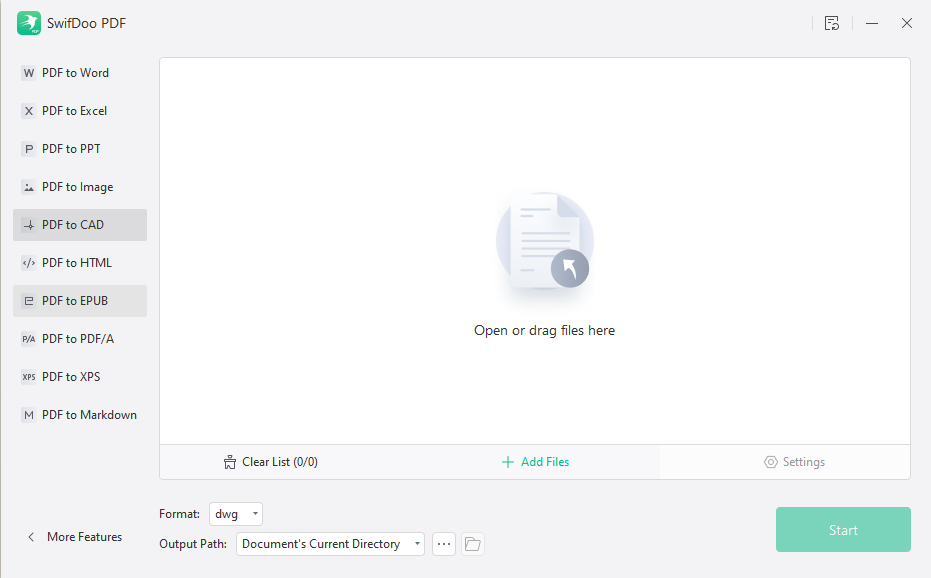
To use this tool, first launch the SwifDoo PDF software and find the “Convert” menu, then select the “PDF to CAD” option from the “PDF to More” drop menu and now you need to load the PDF file you want to convert.
You can do this by dragging the file or using the “Select File” option to navigate to the folder with your documents. Then you can select the files you want to convert and press the “Start” button at the very end.
Batch Converting PDF to DWG format
The available program configuration options will allow you to set additional parameters to enhance the workflow in DWG format conversion. You can also provide a specific individual parameter, such as the output path.
PDF to DWG Online Converters
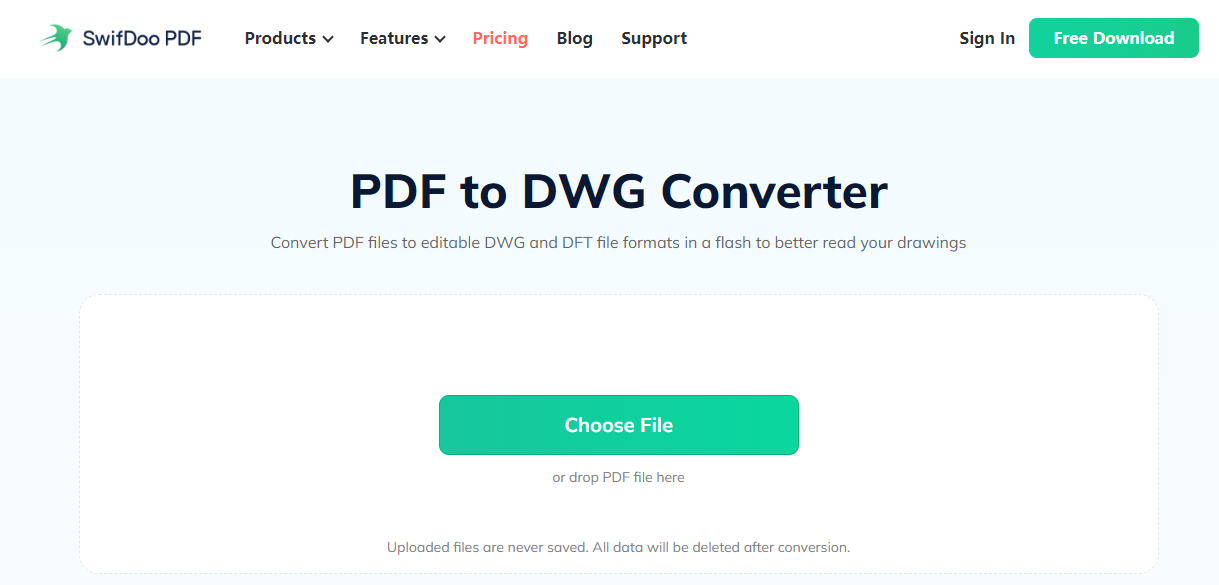
Convert the source PDF file to DWG. You can do this using a dedicated SwifDoo PDF converter or online converters. Changing file formats to PDF is possible even in bulk quantities. Just upload the file to the editor, and after the conversion process is completed, download the converted file to your computer or mobile device.
The free online PDF to DWG solution doesn’t have as much functionality as license-based software from SwifDoo. Whether you choose an online PDF converter or a stationary program depends only on you.
Remember that converting PDF files to DWG is simple nowadays and does not always require the intervention of other external applications in this matter. The SwifDoo PDF Online Converter also allows you to convert PDF to Word and other formats online for free.
Specify settings if you want to convert DWG to PDF further
The use of PDF as a format for exchanging CAD technical documentation is a convenient and safe way to exchange documentation between specialists from various industries.
The undeniable advantage of converting CAD files such as DWG, DGN, or DXF to PDF is the fact that it is a technology that ensures that the recipient will receive data in a form identical to that from which they were generated by us into the PDF file.
If you plan to convert a DWG file to a PDF, you can also use the SwifDoo PDF Online Converter. Thanks to this, you will be able to optimize parameters after conversion and improve the quality of your projects with the SwifDoo PDF Editor.
In a Nutshell
If you want to convert a PDF to DWG for editing, you will have a wide range of options at your disposal. There are online converters and programs such as SwifDoo PDF to install so you can automate this process.
The procedure is to download the PDF document you want to convert, press a button, and wait for the tool to offer you an editable design file that has been automatically converted.