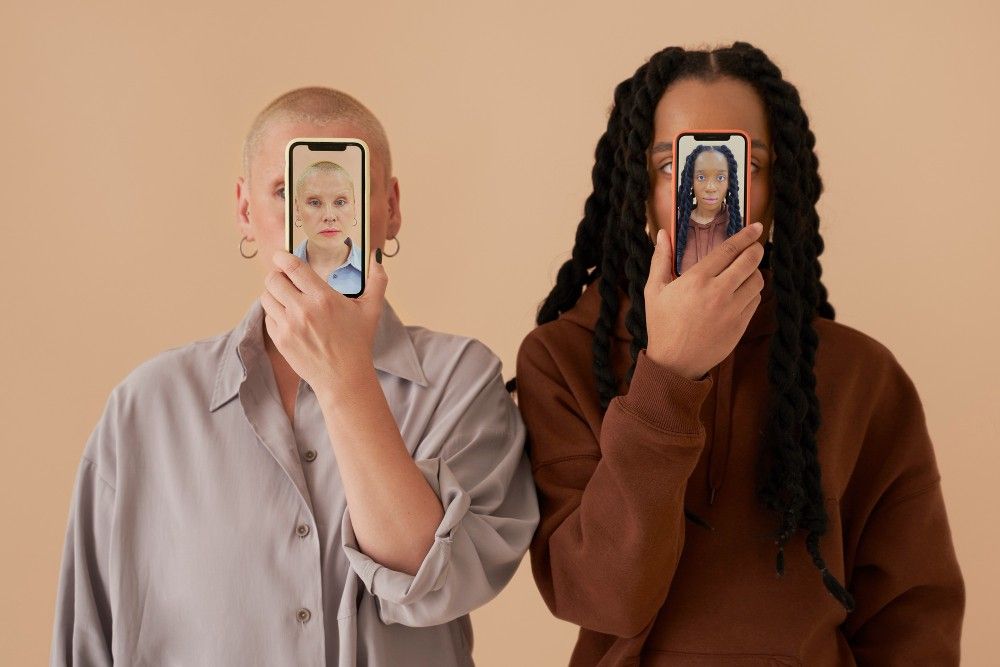
Face swap technology has come a long way from those janky Snapchat filters we all experimented with in 2016. Today’s AI-powered face swap tools deliver photorealistic results that can fool even trained eyes, and they’re being used for everything from content creation to visual effects production.
After spending two weeks testing every major face swap tool on the market, I can tell you this: the quality gap between the best and worst options is enormous. Some tools produce Hollywood-grade swaps in seconds, while others still struggle with basic lighting consistency.
Whether you’re a content creator building viral social media content, a marketer personalizing ad campaigns, or a filmmaker prototyping shots before expensive VFX work, I guarantee at least one of these tools will meet your needs.
Best Face Swap Tools at a Glance
| Tool | Best For | Platforms | Video Support | Free Plan |
| Magic Hour | Professional video & image swaps | Web | Yes | Yes |
| DeepSwap | High-volume GIF creation | Web | Yes | Limited |
| Reface | Quick social media content | iOS, Android | Yes | Yes |
| Faceswap.dev | Custom model training | Web, Local | Yes | Yes |
| Swapface | Real-time streaming | Windows | Yes | Trial |
| Face Swap Live | Live video effects | iOS | No | Limited |
1. Magic Hour
Magic Hour leads this category with its combination of speed, quality, and ease of use. As someone who’s tested dozens of AI video tools, I was genuinely impressed by how well their face swap technology handles complex scenarios like multiple faces, profile angles, and challenging lighting conditions.
The platform goes beyond simple face swapping-it’s part of a comprehensive AI video suite that includes image to video conversion, lip sync ai, and a powerful ai image editor that lets you refine swaps with natural language prompts.
Pros:
- Exceptional output quality with natural skin tones and lighting consistency
- Handles videos up to 60 seconds without quality degradation
- Intuitive interface requires zero technical knowledge
- Batch processing for multiple swaps simultaneously
- Integration with other video creation tools in the Magic Hour suite
Cons:
- Processing times can extend to 2-3 minutes for high-resolution video
- Advanced features require paid plans
- No real-time preview during processing
What sets Magic Hour apart is how it handles edge cases. I tested it with partially obscured faces, extreme angles, and rapid head movements-scenarios where competing tools failed completely. The results consistently maintained facial structure integrity while adapting to lighting and environmental conditions.
If you’re building a content pipeline that requires reliable, production-quality face swaps, this is hard to beat. The ability to move seamlessly from face swapping to lip syncing to final edits within one platform eliminates the workflow friction I experienced with other tools.
Pricing: Free tier includes 5 video credits. Paid plans start at $15/month ($12/month billed annual) with unlimited standard-quality swaps and 100 HD video credits.
2. DeepSwap
DeepSwap positions itself as the go-to solution for creating face-swapped GIFs and memes at scale. During testing, I processed over 50 different swaps, and the tool excelled specifically with short-form content under 10 seconds.
Pros:
- Lightning-fast processing for GIFs and short clips
- Extensive template library for viral content formats
- Simple drag-and-drop interface
- Multi-face swap in single videos
- Good API access for developers
Cons:
- Quality drops noticeably on videos longer than 15 seconds
- Watermark on free tier is prominently placed
- Limited editing capabilities post-swap
- Customer support response times are slow
I found DeepSwap most valuable for social media managers who need to produce high volumes of engaging content quickly. The template system means you can create dozens of variations in an afternoon-something that would take hours with more complex tools.
However, the quality ceiling is lower than professional-grade options. Swaps occasionally show visible seams around hairlines, and color matching can be inconsistent with complex backgrounds.
Pricing: Free plan with watermarks. Premium starts at $9.99/month for 100 credits, with unlimited plans at $49.99/month.
3. Reface
Reface built its reputation on mobile-first face swapping, and it remains the strongest option for creators working primarily on smartphones. I tested it extensively on both iOS and Android devices, and the cross-platform consistency impressed me.
Pros:
- Optimized for mobile content creation workflows
- Massive library of celebrity and movie scene templates
- Quick sharing directly to social platforms
- Regular updates with trending content
- Decent results even on older phone models
Cons:
- Desktop version lacks feature parity with mobile
- Heavy push toward subscription upsells
- Limited customization options
- Results sometimes skew toward entertainment over realism
If your content strategy centers on TikTok, Instagram Reels, or YouTube Shorts, Reface streamlines the entire process from swap to publish. The app understands mobile content formats intuitively, with aspect ratios and durations optimized for each platform.
That said, this is entertainment-focused technology. When I tried using Reface for professional projects requiring photorealistic output, it fell short of tools like Magic Hour or Faceswap.dev.
Pricing: Free with ads and watermarks. Pro subscription at $7.99/month removes limitations.
4. Faceswap.dev
Faceswap.dev targets the technically proficient creator who wants granular control over the swapping process. Unlike consumer-focused tools, this platform lets you train custom models and fine-tune every parameter.
Pros:
- Open-source foundation with active developer community
- Custom model training for specific face types
- Local processing option (no cloud dependency)
- Extensive documentation and tutorials
- No usage limits on self-hosted version
Cons:
- Steep learning curve requires technical background
- Self-hosting demands significant computational resources
- Interface feels dated compared to modern alternatives
- Time-intensive setup process
I spent three days learning Faceswap.dev’s systems, and the investment paid off for specialized use cases. If you’re doing the same type of swap repeatedly-say, inserting your face into a series of tutorial videos-the ability to train a custom model delivers superior consistency.
However, most creators will find the complexity unjustified. Unless you have specific technical requirements or need complete data privacy through local processing, more user-friendly options deliver 90% of the quality in 10% of the time.
Pricing: Free open-source version. Cloud processing starts at $0.05 per swap.
5. Swapface
Swapface carved out a niche in real-time face swapping for livestreams and video calls. During testing, I used it for virtual meetings, Twitch streams, and pre-recorded content requiring live swap preview.
Pros:
- True real-time processing with minimal latency
- Works with streaming software (OBS, Streamlabs)
- Multiple face models can be loaded simultaneously
- Clean integration with virtual camera systems
- Regular performance optimizations
Cons:
- Windows-only (no Mac or Linux support)
- Requires powerful GPU for smooth operation
- Quality trades off against speed in real-time mode
- Limited to streaming use cases
The real-time capability is genuinely impressive-I experienced roughly 50ms of latency, which is imperceptible in live contexts. For streamers wanting to create unique personas or content creators conducting video interviews with face privacy, Swapface solves problems other tools don’t address.
Just know that real-time swaps sacrifice some quality. The results look good in motion at streaming resolution, but freeze frames reveal artifacts that wouldn’t pass in professional video production.
Pricing: 7-day free trial. Subscription starts at $19.99/month or $99/year.
How I Chose These Tools
I approached this comparison as a working content creator would: by actually using these tools in realistic production scenarios.
My testing process included:
Quality benchmarks: I created a standard test suite with challenging scenarios-multiple faces, profile views, rapid movement, varied lighting, different skin tones, and obscured faces. Every tool processed identical source material.
Workflow evaluation: I timed the complete process from upload to final export, noting how many steps and how much technical knowledge each tool required.
Output analysis: I examined results frame-by-frame looking for common failure modes: seam lines, color mismatches, distortion, temporal consistency, and lighting adaptation.
Real-world production: Beyond synthetic tests, I used each tool for actual content projects-social media posts, marketing videos, and creative experiments-to understand how they perform under deadline pressure.
Cost-benefit analysis: I considered pricing relative to output quality and feature sets, thinking about which tools justify their cost for different user segments.
The Face Swap Market in 2025
Face swap technology has matured dramatically over the past two years. The gap between consumer apps and professional VFX tools has narrowed significantly-some of the results I generated with Magic Hour’s face swap ai would have required specialized software and trained operators just 24 months ago.
Three trends are shaping this space:
Integration over isolation: The standalone face swap tool is becoming obsolete. Winners like Magic Hour bundle swapping with complementary features-lip sync, image to video ai, and AI editing-creating complete content pipelines.
Quality democratization: Photorealistic swaps were once the domain of major studios. Now, tools accessible to individual creators produce results that regularly fool viewers, raising both creative opportunities and ethical considerations.
Real-time capabilities: The emergence of live face swapping for streaming and video calls represents the technology’s next frontier. As latency decreases and quality improves, expect this category to expand significantly.
Emerging tools worth watching include Insight Face Lab (pushing quality boundaries with research-grade models) and Vidnoz (focusing on enterprise-scale face swapping for marketing).
Final Takeaway
Your ideal face swap tool depends entirely on your specific use case:
Choose Magic Hour if you need professional-quality results, want an integrated content creation platform, or work with video content regularly. The combination of quality, ease of use, and additional features justifies the premium.
Choose DeepSwap if you’re creating high volumes of short-form social content, particularly GIFs and memes, where speed matters more than perfect quality.
Choose Reface if you work primarily on mobile devices and create entertainment content for social platforms where templates and speed trump customization.
Choose Faceswap.dev if you have technical skills, need complete control over the swapping process, or require local processing for data privacy.
Choose Swapface if you stream content live and need real-time face swapping capabilities.
My honest recommendation: start with Magic Hour’s free tier. The quality ceiling is high enough for professional work, and the learning curve is gentle enough that you’ll produce usable content within minutes. Once you understand what’s possible, you can explore specialized tools if you have specific requirements Magic Hour doesn’t address.
Most importantly, experiment. Face swap technology is advancing rapidly, and hands-on testing reveals capabilities and limitations that specs sheets can’t capture.
FAQ
Can face swap tools work with any photo or video?
Most modern tools handle standard photos and videos well, but quality varies with source material. Best results come from clear, well-lit footage with faces at approximately the same angle. Tools like Magic Hour handle challenging conditions better than budget alternatives, but all struggle with extreme angles, heavy occlusion, or very low resolution.
Are face swaps legal to create and share?
Creating face swaps is generally legal, but context matters enormously. Using someone’s face without permission for commercial purposes, creating misleading content, or producing non-consensual intimate imagery crosses legal and ethical lines. Most platforms prohibit impersonation and deepfakes intended to deceive. Always obtain permission when using recognizable individuals, and disclose AI-generated content where appropriate.
How long does it take to create a face swap video?
Processing time ranges from seconds to several minutes depending on video length, resolution, and tool capabilities. Short clips (under 10 seconds) at standard resolution typically process in 30-60 seconds on tools like DeepSwap or Reface. Longer videos at high resolution can take 5-10 minutes on platforms like Magic Hour. Real-time tools like Swapface process instantly but require powerful hardware.
Can I use face swap tools for business purposes?
Yes, most tools offer commercial licenses, though terms vary. Magic Hour, DeepSwap, and Faceswap.dev explicitly support business use on paid plans. Common business applications include marketing personalization, content localization, and creative production. Always review licensing terms for your specific tool and use case-some free tiers restrict commercial use.
What’s the difference between face swap and deepfake?
The terms overlap significantly, but “deepfake” typically implies deceptive intent or realistic impersonation, while “face swap” often describes creative or entertainment applications. Technically, both use similar AI models. The distinction lies more in application and disclosure than technology. Responsible creators label AI-generated content clearly and avoid using the technology to mislead or harm.