
You don’t need to be a security expert to check whether a website deserves your trust. You need five minutes, four free tools, and a short list of red flags. This guide gives you all three, plus the scoring method I use professionally before trusting or spending money on any content site.
Here’s why this matters more than it used to. Anyone can publish a clean, professional-looking blog in an afternoon. Design stopped being a trust signal years ago. The sites most likely to burn you today don’t look shady. They look helpful.
I’ve audited hundreds of content sites, and the dangerous ones almost always pass the eye test. They fail the checks below.
The Quick Answer
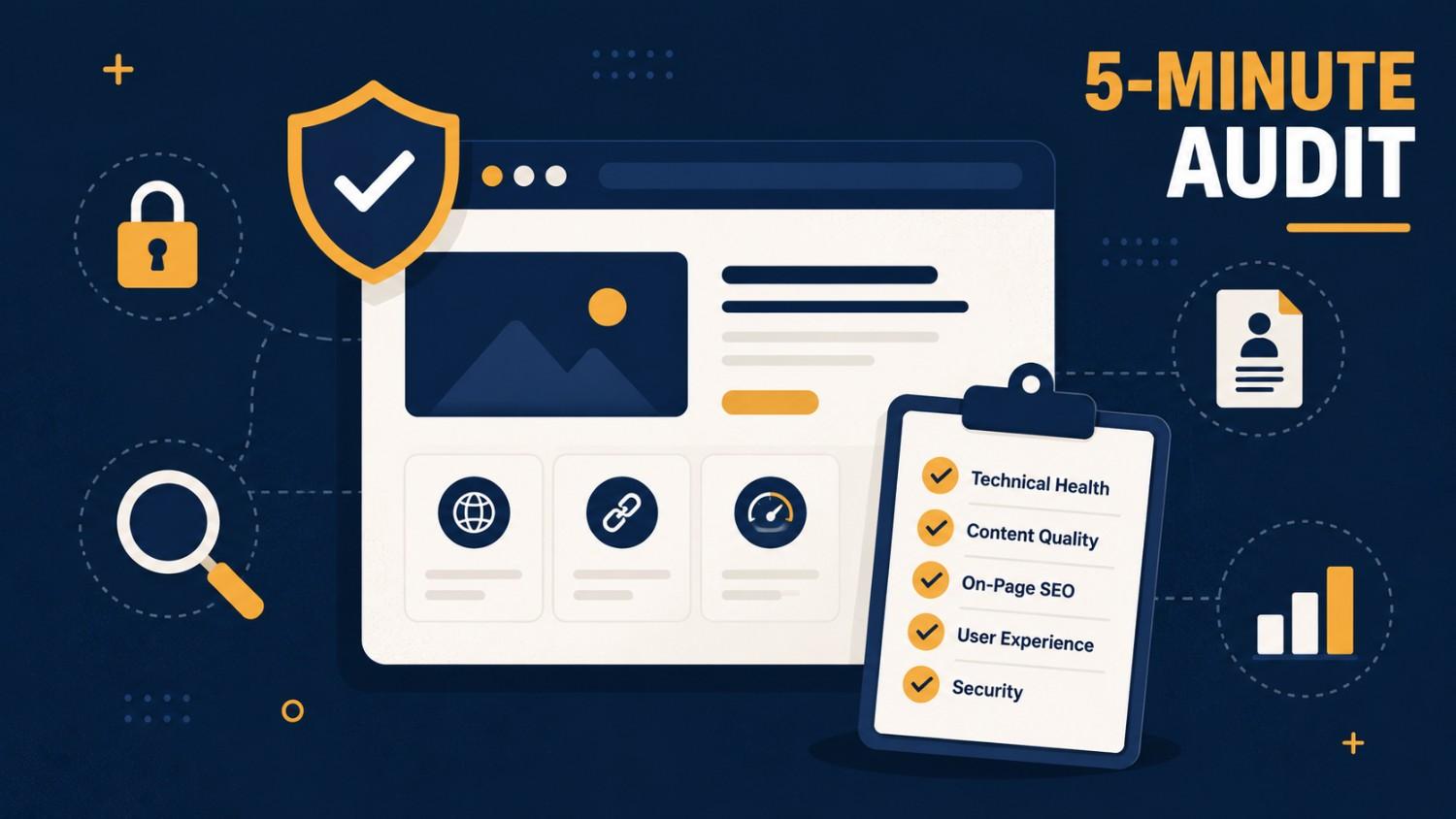
To check if a website is trustworthy, verify five things: a secure HTTPS connection, real traffic data on Similarweb, a clean record in scam databases like Google Safe Browsing, named authors with verifiable credentials, and no signs of undisclosed paid content. If a site fails two or more checks, don’t act on its advice or spend money through it.
That’s the whole method. The rest of this guide shows you how to run each check, what the results actually mean, and where beginners get fooled.
Check 1: The Technical Basics (60 Seconds)
Start with the lock icon. A site should load over HTTPS (the padlock in your address bar). No padlock on a site asking for any personal information is an automatic fail.
But here’s the part most guides get wrong: HTTPS proves almost nothing on its own. Certificates are free. Scam sites have padlocks too. HTTPS is a floor, not a ceiling. A site that lacks it is disqualified; a site that has it has merely not failed yet.
Next, check the domain’s age. Run the site through ICANN’s official lookup tool and look at the registration date. A “trusted industry resource” registered four months ago is telling you something. Note also whether ownership details are hidden. Privacy protection is normal and legal, but a site that hides its owner and has no about page, no named staff, and no physical presence is stacking anonymity signals.
Pass condition: HTTPS present, domain older than a year, or younger with a clearly identified owner.
Check 2: The Traffic Reality Check (90 Seconds)
This is the check that exposes hyped sites, and almost nobody runs it.
Search the domain on Similarweb (the free version is enough). You’re looking for two things:
First, does the traffic match the claims? A site presenting itself as a major authority should show meaningful visits. When I reviewed kongotech.org, third-party tools showed an estimated 258,000+ monthly searches for the brand name but only around 35,000 actual site visits. That gap is a hype signal: the name circulates in videos and forwarded messages far more than people actually use the site.
Second, where is the traffic trending? A site losing a third of its audience year over year often lost it for a reason, frequently a Google penalty or a collapsed content scheme.
Pass condition: traffic exists, roughly matches the site’s self-presentation, and isn’t in free fall.
Check 3: The Scam Database Sweep (60 Seconds)
Three free lookups, run in parallel:
- Google Safe Browsing status: enter the URL at Google’s Safe Browsing site status page. This tells you if Google has flagged the domain for malware or phishing.
- A scam-check aggregator: ScamAdviser or URLVoid. Treat their scores as a smoke detector, not a verdict. They produce false alarms and false passes.
- The manual search: Google the site name plus the words “scam,” “review,” and “complaint,” each in a separate search. Read the second page of results too. Paid coverage crowds page one.
If you’ve actually lost money to a site, that’s beyond auditing: report it to the FBI’s Internet Crime Complaint Center if you’re in the US, or your national equivalent.
Pass condition: clean Safe Browsing status and no pattern of specific, detailed complaints. (One angry review is noise. Five people describing the same failure is data.)
Check 4: The Author Test (60 Seconds)
Open any three articles and ask one question: Who wrote this, and could I verify that the person exists?
Trustworthy sites name their writers, link to author pages, and show credentials you can check elsewhere (a LinkedIn profile, prior bylines, professional history). This is the pattern Google’s own quality guidelines describe as experience, expertise, authoritativeness, and trust.
Red flags in this check:
- Every article credited to “Admin,” “Editorial Team,” or a rotating cast of one-post authors
- Author bios that describe passion but no verifiable history (“a passionate writer who loves technology”)
- Health, finance, or legal advice with no qualified name attached. Higher stakes demand higher proof.
Pass condition: at least some content carries named, checkable authors, especially in money and safety topics.
Check 5: The Paid-Content Footprint (90 Seconds)
This is the professional-grade check, and it’s easier than it sounds. Many content sites quietly sell article placements. The content reads like editorial but is actually advertising, and the FTC’s endorsement rules require that kind of material connection to be disclosed. When it isn’t, every recommendation on the site becomes suspect.
Two searches expose it:
- Search the site name on freelance marketplaces (Kwork, Fiverr, Legiit). If you find listings selling “guest posts” on the site for $20–$50 with 24-hour delivery, no editor is reviewing that content. During my kongotech.org audit, a $30 do-follow placement with a 24-hour turnaround was openly listed. That single finding reframed the entire site.
- Scan the site’s category mix. A “tech blog” that also publishes casino reviews, betting guides, and loan content is showing you its business model. Those are the highest-paying placement niches. Editorial sites don’t drift there by accident; Google’s spam policies specifically target this pattern.
Pass condition: no marketplace listings selling placements, and a category mix that matches the site’s stated identity.
Scoring: What to Do With the Results
Add up the failures:
| Failed checks | Verdict | What it means in practice |
|---|---|---|
| 0 | Trust it | Act on its advice normally; verify only high-stakes claims |
| 1 | Use with care | Read freely; independently verify anything involving money, downloads, or credentials |
| 2 | Don’t act on it | Fine to skim, but treat every recommendation as unverified |
| 3+ | Walk away | Don’t download, buy, subscribe, or follow advice from it |
One rule overrides the score: any site that asks for a password to another service (your Instagram login, your bank credentials, your email password) fails instantly, regardless of everything else. No legitimate content site needs that.
Worked Example: The Method Applied
Want to see all five checks run on a real site, start to finish? I applied this exact framework to kongotech.org, a multi-niche blog with hundreds of thousands of branded searches, and the results split cleanly by content category: readable how-tos, risky tool recommendations, and paid casino placements on the same domain. Read the full case study: Kongotech Org: What It Is, What’s Safe to Use, and What to Skip.
More case studies and deep dives in this series:
- Are Free Instagram Follower Apps Safe?
- How to Spot a Guest-Post Farm Before You Buy a Link
- How to Read Similarweb Data (and When Its Estimates Lie)
Get the One-Page Version
I’ve condensed all five checks into a printable 5-Minute Website Trust Checklist, the same sheet I work from on paid audits. Drop your email below and it’s yours.
FAQ
What is the fastest way to check if a website is legit?
Run the URL through Google’s Safe Browsing status page and search the site’s name plus the word “scam.” Those two checks take under two minutes and catch the worst offenders. For anything involving money or downloads, run the full five-check audit above before acting.
Does HTTPS mean a website is safe?
No. HTTPS only means your connection to the site is encrypted. It says nothing about whether the site’s content, owners, or recommendations are honest. Security certificates are free, and scam sites use them routinely. Treat a missing padlock as disqualifying and a present one as merely neutral.
Are website trust scores like ScamAdviser accurate?
They’re useful as a first filter, but wrong often enough that you should never rely on one alone. Automated scores misjudge new legitimate sites and miss polished scam sites. Combine them with traffic data, author checks, and a manual complaint search before deciding.
What are the biggest red flags on a content website?
The strongest three: recommendations that require your password to another service, undisclosed paid placements (guest posts sold on freelance marketplaces), and a category mix that doesn’t match the site’s identity, like casino reviews on a tech blog. Any one of these justifies serious caution.
How do I check who owns a website?
Use ICANN’s free lookup tool to see the domain’s registration date and registrar. Ownership details are often privacy-protected, which is normal on its own. It becomes a red flag when combined with no about page, no named authors, and no verifiable contact information.