


The Outlook for Mac application uses an exclusive data file format, called OLM, for exporting the mailbox items. This mailbox file (mailbox archive) contains emails (including attachments), contacts, calendars, tasks, and notes.
When users want to shift mailboxes from Mac Outlook to Outlook for Windows, they are not able to directly do so. This is because the OLM file format is not supportedby Windows Outlook.Instead, ituses the PST file format for import purposes. Therefore, they need to convert the OLMfile to PST format.In this post, we have discussed a simple way to convertOLM to PST for free.
Reasons to Convert OLM to PST
Below is a list of reasons why users look for ways to convert OLM to PST file format:
- Switching from a Mac system to a Windows PC
- To open OLM files in Outlook for Windows
- To view contents ofan old or archivedOLM file on Windows
- To migrate mailboxes from Mac Outlook to Windows Outlook
- To share the contents of an OLM file with Outlook for Windows user
How to Convert OLM File to PST File for Free?
The best way to convert OLM to PST for free is by usingan online utility. One such utility is the online OLM to PST converter by Stellar. This web-based utilitycan help you conveniently convert a single OLM file of size up to 100MBto PST for free. You can easily useit on any Mac, Windows, or Linux system without any difficulty. Moreover, it has a Premium edition that can convert up to 5 OLM filesof≤5GB in size.
Some features of the online OLM to PST converter by Stellar are:
- Converts OLM to PST quicklywith complete integrity
- Easy 3-step process: Upload > Convert > Download
- No additional software installation required
- Doesn’t require Outlook to be installed
- Converts a single OLM file of size ≤100MB for free
- Lets you preview converted OLM filemailbox foldersusing a downloadable HTML file
- Can be used on any Mac, Windows, or Linux system
- Complete data privacy as the uploaded OLM file and converted PST file are deleted within 24 hours from their server
- Supports OLM files ofOutlook for Mac 2011, 2016, 2019, 2021, and 2024.
Follow the stepwise process below toconvert OLM to PST online usingthe Stellar’sonline OLM converter:
- Launch a web browser on your Windows/Mac system.
- Click on the Upload OLM File button after signing up.
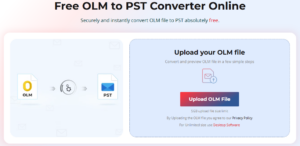
- The Open window will appear. Locate and select the OLM file you want to convert. Click on Open.
- Once the file is uploaded, you will see its status updated to “File Uploaded.”
- Click on Start Conversion.
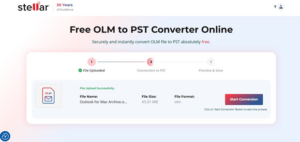
- The online tool will begin converting it to PST.
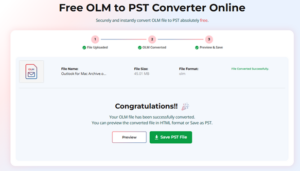
- After the mailbox file conversion process is complete, you will see the “File Converted Successfully” window.
- Here, you can click on Preview or Save PST File. Here’s what each button does:
- The Preview button will download an HTML file that you can open via a web browser to verify the mailbox folders and the structure.
- The Save PST File button will save the converted PST file on your device.
After you have downloaded the resultant PST file, use the Import/Export wizard to import the PST into Windows Outlook.
EndNote
Whether you’re switching from Mac to Windows or want to open OLM files in Windows Outlook, you will need to convert the OLMfile to PST format. This is required because the Outlookfor Windows doesn’t support the OLM file format.The easiest way to do this is to convert OLM to PST online by using Stellar’sfree OLM to PST converteronline. It lets you convertan OLMfile (size ≤100MB) to PST format for free. Moreover, there is no need to install any additional software or even MS Outlook.
In case you want to convert OLM files without any file size limitations, you can opt for the desktop application – Stellar Converter for OLM. With this, you can also savethe OLM fileitems to other formats, like MSG and EML. Moreover, it can help you directly export the OLM file data to an existing Outlook profile.